The internet is currently drowning in 10-second clips of hyper-realistic neon cyberpunks walking down rainy Tokyo streets. You’ve seen them on TikTok, Instagram Reels, and YouTube Shorts. At first glance, tools like Runway and Luma make your jaw drop. The lighting is perfect, the skin texture is uncanny, and the render looks like a million-dollar Hollywood frame.
But if you watch for more than five seconds, a weird emptiness sets in. The character’s eyes stare blankly into space. The camera glides on a flawless, robotic mathematical axis. The scene looks incredibly pretty, but it feels completely dead.
This is the hidden trap of generative video. It is easy to generate a stunning visual; it is incredibly difficult to capture a human soul.
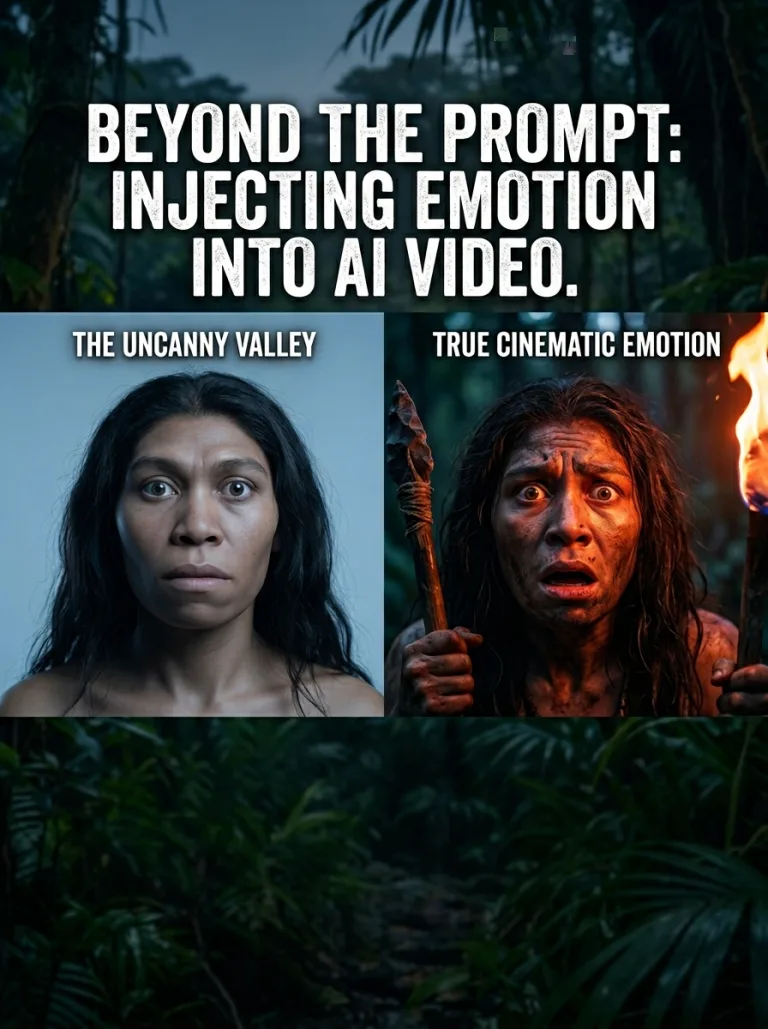
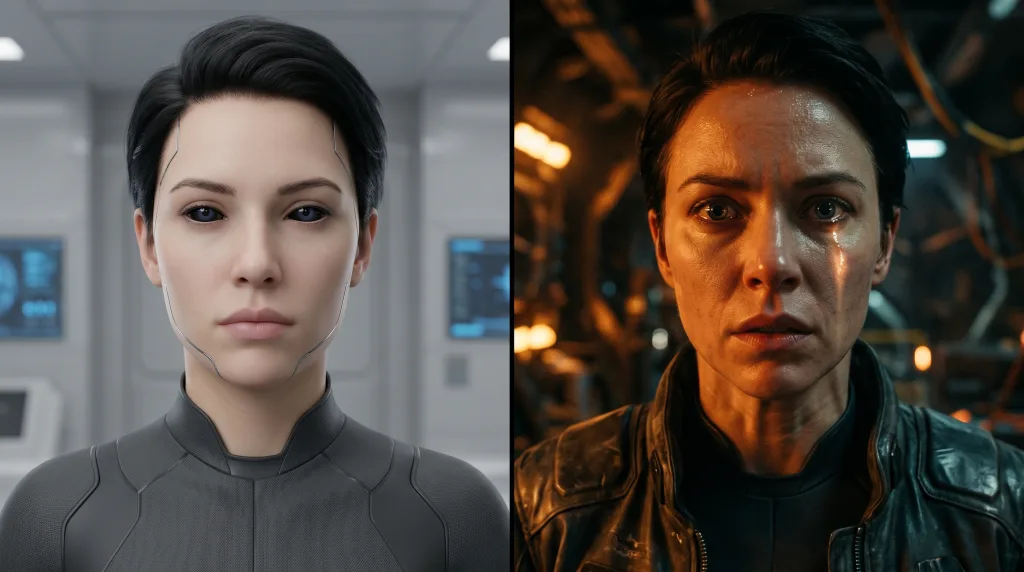
Visualizing the difference between default algorithmic rendering and human-directed behavioral prompting in generative video.
If you are trying to produce high-end digital stories—whether it’s a gripping short film about a Homo erectus band encountering a bizarre object in a primeval jungle, or a gritty survival drama—you cannot rely on the AI to handle the emotion. The machine only understands pixels and patterns. The weight, the tension, and the heart have to come entirely from you.
Here is how to wrestle creative control away from the algorithm and build video content that actually makes viewers feel something.
1. The Prompt Trap: Stop Writing Like a Technical Manual
The biggest mistake creators make when using generative tools is writing prompts that read like a software engineering request.
What the machine spits out if you are lazy:“A hyper-realistic close-up shot of a prehistoric caveman looking scared in a dark jungle, 4k resolution, cinematic lighting, photorealistic.”
This prompt gives the model data points, not direction. It focuses on resolution numbers and generic adjectives like “photorealistic”—words the AI already overuses. The result will always be a stiff, plastic-looking avatar that looks like a video game loading screen.
To fix this, you have to prompt like a director talking to an actor on a physical set. You need to describe the physical reaction of the emotion, not just the word for it.
Instead, structure your visual direction like this:
The Behavioral Anchor: Don’t just say “scared.” Describe the biological markers of fear. Mention dilated pupils, heavy uneven breathing, jaw slightly slack, or sweat matting the hair against the forehead.
The Environmental Pressure: Connect the character to the space. If they are in a prehistoric jungle, describe how the heavy, humid canopy shadow slices across their eyes, or how a single, sharp glint of metallic alien reflection catches the wet surface of their eyeball.
The Imperfect Camera: True cinema is full of flaws. Instead of allowing the AI to use its default, perfectly smooth digital panning, explicitly command the camera to mimic human error. Use directions like “unsteady handheld tracking shot,”“sudden erratic camera micro-shake,” or “imperfect pull-focus as if the operator is struggling to catch the movement.”
2. Overcoming the “Uncanny Valley” in Character Performance
AI models are notoriously bad at handling complex, deep human expressions. They excel at blank stares, angry scowls, and wide smiles, but they completely fail at the subtle, messy mid-tones of human feeling—like a mix of awe and sheer terror.
If you generate a clip where a primitive hunter stares up at a massive, geometric metallic spacecraft hovering silently above the tree line, the AI will likely render a character who looks mildly annoyed or completely blank.
To bridge this gap, focus your creation workflow on the Before and After technique, breaking down your timeline through the classic Kuleshov Effect to construct emotion through sequential context:
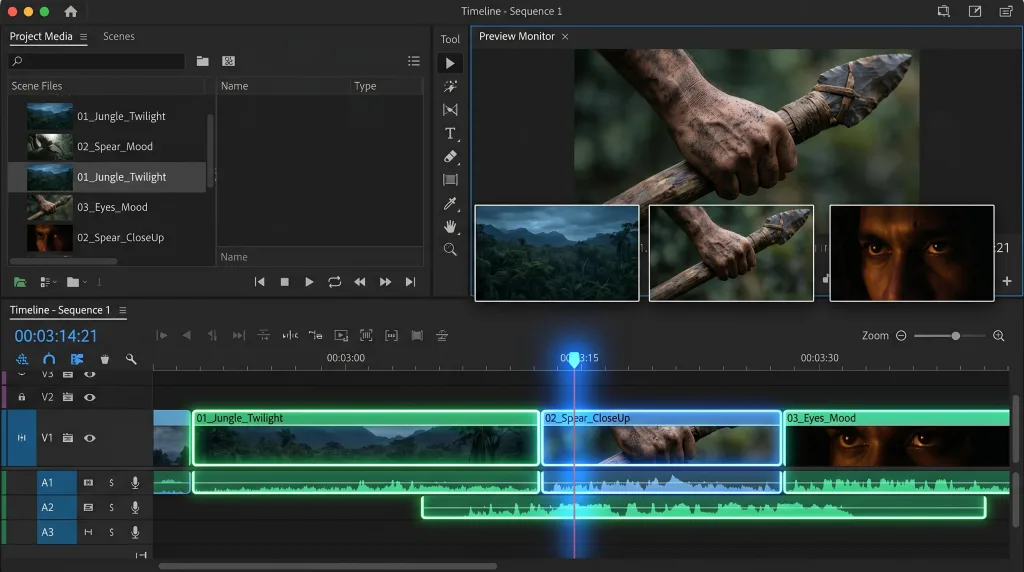
Overcoming AI character performance limitations by using traditional cinematic montage and fragmented editing.
The Three-Part Asset Breakdown
The Isolation of Movement: Instead of asking the AI to show a character running, tripping, screaming, and looking up all in one prompt, break your scene into tight 3-second micro-beats.
The Power of the Cutaway: If the AI character’s face starts to glitch or lose its emotional impact during a heavy scene, don’t try to force the prompt to fix it. Use traditional filmmaking techniques. Cut to an extreme close-up of their trembling hand gripping a flint spear. Cut to a macro shot of bare feet stepping backward into deep mud.
By using clever editing to imply the emotion through details, you hide the limitations of the machine and force the audience’s brain to fill in the intense emotional gaps.
3. The Power Stack: Tools of Choice for Cinematic Control
To move your workflow beyond basic text guesswork, you need tools that offer granular control over scene consistency and physical movement.
Luma Ray3 (Reasoning-Driven Scene Logic): Unlike older engines that generate video by guessing pixel patterns frame-by-frame, Ray3 evaluates composition and lighting depth before rendering. For narrative creators, its biggest benefit is Character Reference identity locking, which allows you to keep a character’s facial likeness and costume completely consistent across entirely separate generated clips. It also features a native 16-bit HDR pipeline for professional post-production color grading.
Runway Gen-4.5 (World Consistency and Speed): Gen-4.5 sets the standard for physical simulation and prompt adherence. It interprets complex director instructions without losing tracking coherence during major environmental shifts. Its major workflow benefit is the Gen-4 Turbo variation, letting you rapidly prototype scene layouts and lighting variations in under 30 seconds before committing to a final, high-fidelity 4K output render.
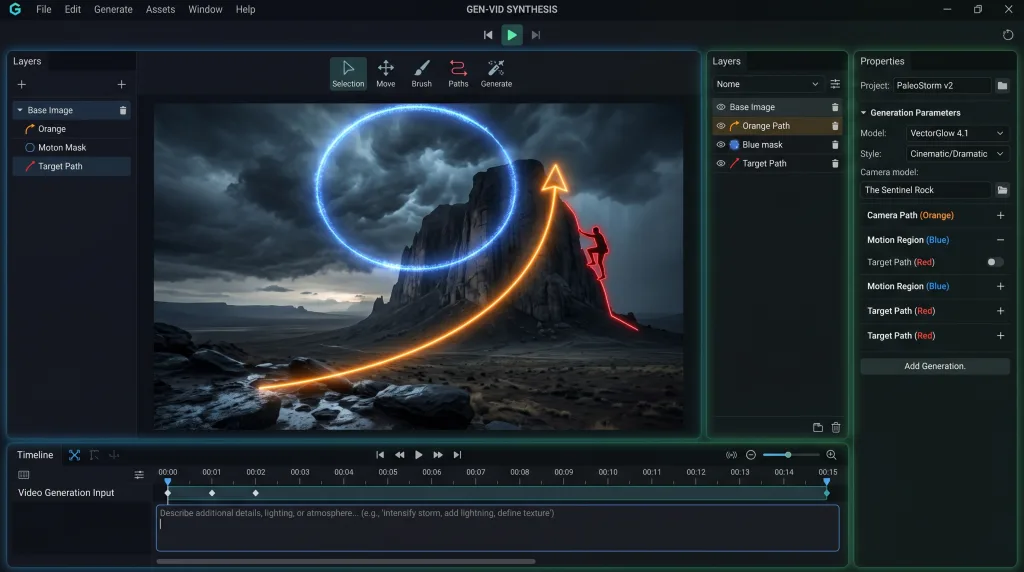
In-Engine Visual Annotation Brush Tools: Instead of wrestling with text descriptions to move a camera, tools like Runway’s Motion Brush or Luma’s native annotation canvas allow you to draw direction vectors right onto static background images. This lets you manually control exactly where a subject moves or where a lens focus-pull occurs.
Moving beyond text: Using in-engine visual annotation and motion brushes to physically direct camera tracking and environmental movement.
4. The Reality Check: The Machine is Just the Paintbrush
At the end of the day, an AI video generator doesn’t know what it feels like to be trapped in a dark forest. It doesn’t understand the existential dread of a primitive hominid looking at technology millions of years beyond its comprehension. It doesn’t have a childhood, a memory, or a soul.
If you let the prompt bar do all the heavy lifting, your content will blend directly into the sea of generic, soulless AI clips clogging up social media feeds.
The secret to scaling a highly successful digital media brand isn’t about finding a magic keyword or using the newest software update. It’s about using these tools to build the raw visual assets, and then using your unique human perspective, your editing rhythm, your sound design, and your narrative structure to breathe actual life into the project. Use the machine for speed, but rely on your gut for the story.